
A website going down is bad.
Finding out because a customer emailed you is worse.
For most businesses, a website is the primary point of contact. Leads flow in from advertising, customer records are stored and updated, and internal processes are automated and simplified. An outage can mean missed leads - or worse - entire business operations grinding to a halt.
What Website Uptime Monitoring Actually Does
An uptime monitor checks your website every few minutes and confirms that it responds normally.
If your website times out, returns an error, or fails several checks in a row, the monitor sends you an alert by email, SMS, Slack, Discord, or another service.
At a minimum, you should monitor:
- Your homepage
- A dedicated /health endpoint
- SSL certificate expiration
- Response time
For applications that depend on a database, your health endpoint can also verify that the database is reachable.
A Few Good Monitoring Options
Uptime Kuma
Uptime Kuma is a popular open-source service that you can host yourself.
It provides a clean dashboard and supports HTTP monitoring, TCP checks, certificate monitoring, notifications, and public status pages.
For businesses already running a VPS or small servers, Kuma is a great option because there is no subscription fee per-monitor.
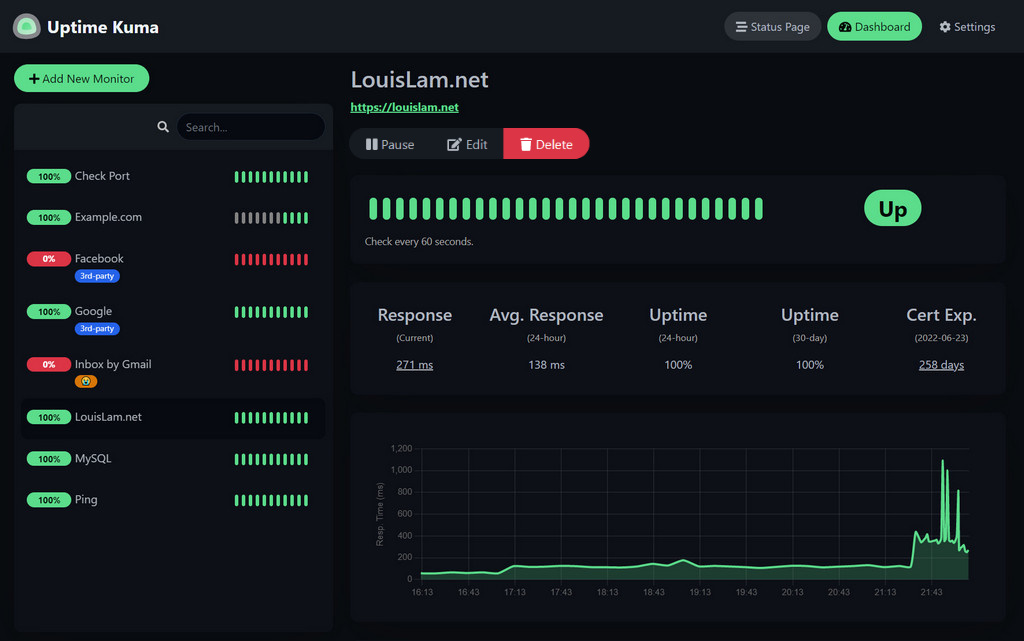
One important note: don't run Kuma on the same server as the website it monitors. If that server goes down, your website and your monitoring system disappear together.
UptimeRobot
UptimeRobot is another hosted monitoring service that is very easy to set up.
You give it a URL, choose how often it should check your site, and configure where alerts should go.
This is great if you don't want to maintain another application yourself.
Add a Health Endpoint
Checking your homepage is useful, but it doesn't always prove that your application actually works.
A cached homepage might still load while your database is unavailable.
Instead, applications can expose something like:
https://example.com/api/health
That endpoint can verify important dependencies and return an error when something is wrong.
Your monitoring service can then check /health instead of only checking whether the homepage loads.
Avoid False Alarms
Do not trigger an emergency alert because one request failed, temporary network problems happen and an occasional check may fail.
A more trustworthy setup would instead check every 60 seconds and only alert after two or three consecutive failures.
This catches real outages without creating so much noise that you start ignoring alerts.
Don't Want to Manage It Yourself?
This is also something we handle for clients at Holladay Digital.
For websites and applications we host or manage, we monitor uptime and health checks and catch outages before they become customer reports.
That means you don't have to maintain another dashboard, configure alerts, or remember to check whether your website is still working manually.
For many small businesses, that is the real goal: shifting the time and effort towards a dedicated team of developers to keep operations flowing smoothly.
Monitoring Is Only Half the Job
Monitoring tells you that something broke, and logs help tell you why.
When an outage alert arrives, good application and server logs can quickly show whether the problem came from a failed deployment, database connection, certificate issue, external API, or server problem.
You do not need an enormous monitoring platform to protect a small business website.
A simple setup with Uptime Kuma, UptimeRobot, or managed monitoring from Holladay Digital can cover the most important part:
When your website breaks, you know before your customers do.